



Guide & Frequently Asked Questions
Last Update: 01/01/2026
1. Welcome to ComiCity
Welcome to the world of ComiCity ⚡ — the place where your ideas turn into ready‑to‑share comic strips, one panel at a time. No drawing skills required: all you need is your imagination, your sense of humor, and the desire to create something unique 🎨.
To start building your stories, saving your strips, and publishing them, click the button below: you’ll access your personal space and officially enter the world of ComiCity.
🚀 Start creating2. How it works
- Create your strip: choose between 3 and 6 panels and shape the rhythm of your story. The recommended narrative model is simple and effective: Setup (introduce the situation) → Twist (something changes) → Punchline (the final joke).
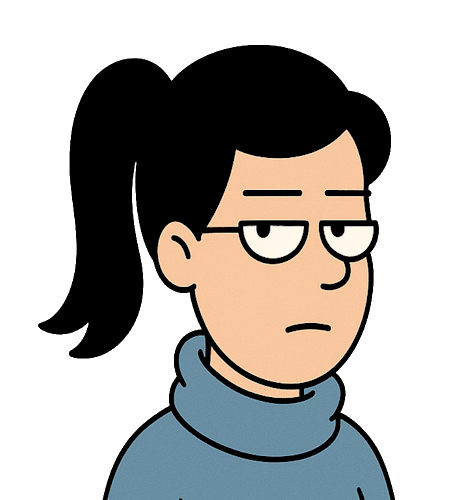
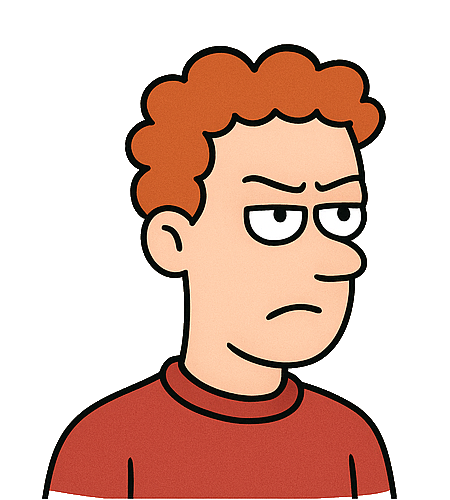
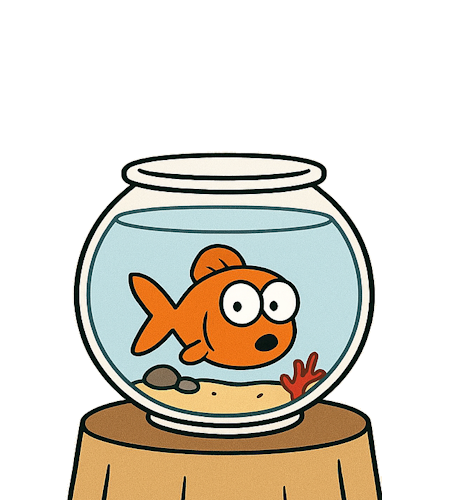
- Choose characters and backgrounds: the official cast — Guy, Jane, Cindy, Gary, and Mr. Bubbles — is ready to bring any scene to life. Select backgrounds and poses to immediately give identity to your strip.
- Add dialogue and expressions: each character has expressions, emotions, and visual variants you can freely combine. Write the dialogue, adjust the tone, and build the comedy panel by panel.
- Save and share: when you're satisfied, save the strip in your Collection or publish it. Once approved, you can share it via direct link or include it in your Collections.
📚 Collections & Organization
Collections are the best way to organize your strips: use them for themes, story arcs, or simply to keep your ideas tidy. Each Collection works as a personal container where you can create, order, and manage your stories.
- The Default Collection: it’s always present and cannot be renamed or deleted. It gives you a safe starting point for creating your first strips.
- Create new Collections: add as many Collections as you want, choosing a name that represents the theme or series. Until the name is approved, the Collection will appear with a temporary title (e.g., Collection #14).
- Manage names: you can freely rename any Collection (except the Default one). The new name becomes publicly visible only after approval.
- Create and move strips: strip creation always happens inside a Collection. You can move a strip from one Collection to another at any time to reorganize your series.
- Order your strips: drag and drop to arrange the narrative sequence of the Collection.
- Delete a Collection: you can delete any empty Collection. Collections containing at least one strip cannot be removed.
- Make a Collection private: with one click you can hide the entire Collection. Even if the strips inside are “Published”, they won’t be publicly visible while the Collection remains private.
📤 Publishing & Strip States
Every strip goes through different states, from creation to publication. These states help you manage the creative process and ensure that your content respects the platform’s editorial guidelines.
- Draft: the strip is saved in your Collection but not visible to others. You can edit it freely at any time. Any modification to a published strip automatically returns it to Draft.
- Pending Approval: after requesting publication, the strip enters the content‑review phase. In this state, it cannot be edited or republished until the review is complete.
- Published: the strip has been approved and is publicly visible in galleries and in non‑private Collections. If you edit it, the strip will be unpublished and return to Draft, requiring a new approval.
- Not Approved: the strip was not published because it didn’t meet the guidelines. You can edit it, fix the content, and resubmit it: the strip will return to Draft and you can request publication again.
In short: you can always edit a strip in Draft, Published (which will return to Draft), or Not Approved. The only locked state is Pending Approval, during which no edits or new publication requests are possible.
✅ Editorial Guidelines3. Creative Tips
ComiCity strips follow the logic of short‑form comedy: one central idea, essential dialogue, tight pacing, and a final beat that flips or amplifies the premise. Each panel must have a precise narrative function. Choose the structure that best fits your idea and guide the reader toward the punchline.
-
3‑panel strip – “Setup → Twist → Punch”
The purest and most technical structure: a clear premise, a shift in perspective, and a final joke. Works best when the idea is strong and self‑contained.
Principles: remove anything unnecessary, use short dialogue, rely on logical inversion or sarcasm.
Examples:
1️⃣ Jane: “I started a digital diet.”
2️⃣ Guy: “Less social media?”
3️⃣ Jane: “No, fewer emails.”
1️⃣ Gary: “I read a book on productivity.”
2️⃣ Cindy: “How was it?”
3️⃣ Gary: “I didn’t have time to finish it.”
-
4‑panel strip – “Rising dialogue + visual punch”
Ideal for building rhythm and character chemistry. The fourth panel can be a joke, a look at the camera, or a gesture that closes the scene.
Principles: alternate balloons, controlled escalation, use the last panel as a visual payoff.
Examples:
1️⃣ Cindy: “I’m trying multitasking.”
2️⃣ Jane: “Like what?”
3️⃣ Cindy: “Working and procrastinating at the same time.”
4️⃣ Jane looks at Mr. Bubbles, who stares at the camera, defeated.
1️⃣ Guy: “The boss wants more creativity.”
2️⃣ Gary: “Any ideas?”
3️⃣ Guy: “Yes, running away.”
4️⃣ Gary: “Bold technique. Not scalable.”
-
5‑panel strip – “Mini‑story with micro‑arc”
Perfect for small narratives with a climax and a closing beat. Great for surreal situations, emotional escalation, or jokes that need a bit more setup.
Principles: every panel must push the story forward; avoid repetition; use the fifth panel as tension release.
Examples:
1️⃣ Jane: “I’m trying to be more zen.”
2️⃣ Cindy: “Meditation?”
3️⃣ Jane: “No, accepting the absurdity of the world.”
4️⃣ Cindy: “Is it working?”
5️⃣ Jane: “No, but at least nothing surprises me anymore.”
1️⃣ Gary: “I decided to be more organized.”
2️⃣ Guy: “New planner?”
3️⃣ Gary: “Yes, but I don’t know where I put it.”
4️⃣ Guy sighs.
5️⃣ Gary: “Maybe I need to organize my organization.”
Themes that work well: absurd workplace moments, invasive technology, everyday micro‑crises, ironic relationships, paradoxical corporate logic. Keep balloons short, leave room for expressions, and use panel rhythm to guide the joke toward the final beat.
💡 More ideas4. FAQ
Do I need to know how to draw?
No! ComiCity is designed for people with ideas, not drawing skills. Everything is ready: characters, backgrounds, expressions, and poses. You just focus on the story and the comedic rhythm.
How many panels can I use?
You can choose between 2 and 6 panels. For effective pacing, we recommend 3 to 5 panels, following one of the most common narrative models: Setup → Twist → Punch, rising dialogue, or a micro‑arc mini‑story.
Can I create my own characters?
Not at the moment: you can use the official cast (Guy, Jane, Cindy, Gary, and Mr. Bubbles). However, you can customize dialogue, expressions, and emotions to give your strip a unique tone.
How do I save and share my strip?
After publishing, your strip will have a direct link you can share with anyone. If the strip is inside a private Collection, it will remain invisible to the public.
What are the strip states?
Draft: saved in your Collection, visible only to you. You can edit it freely.
Pending Approval: the strip is under review. You cannot edit it until the review is complete.
Published: approved and publicly visible (unless the Collection is private).
Not Approved: not published. You can edit and resubmit it: it will return to Draft.
Can I edit a strip after publishing it?
Yes! You can always return to edit mode. Any modification will return the strip to Draft and require a new approval. You cannot edit a strip while it is in Pending Approval.
How do Collections work?
Collections organize your strips by theme or series. You can create new ones, rename them (name becomes public after approval), reorder them, and move strips inside them. The Default Collection cannot be deleted or renamed. Collections with at least one strip cannot be deleted.
Can I make a Collection private?
Yes! You can make any Collection private with one click. In that case, even published strips inside it will not be publicly visible.
Where can I find ideas for stories?
In the Ideas section you’ll find recurring themes and typical ComiCity situations: absurd meetings, social media chaos, everyday micro‑crises, ironic relationships, and more.
Is ComiCity free?
Yes! You can create, save, and share your strips freely. Some advanced features may arrive in the future, but strip creation will remain free.
5. Advanced FAQ
Can I duplicate a strip to reuse structure or dialogue?
Yes. You can create a copy of a strip directly from its editing page. While editing, instead of selecting Save Strip, use the Save as New button: this will generate a new strip in Draft status, identical to the original but fully independent. It’s a practical way to produce variants, alternative punchlines, or thematic series without modifying the original strip.
Can I change the structure (number of panels) after starting?
Yes, but only while the strip is in Draft. Changing the number of panels may remove existing content, so the system will ask for confirmation. A strip in Published or Not Approved can be edited, but will still return to Draft.
How does Collection name approval work?
When you rename a Collection, the new name enters a review queue. Until approved, the Collection keeps a temporary name (e.g., Collection #14). The Default Collection cannot be renamed.
Can I move a strip between different Collections?
Yes: you can move a strip at any time, regardless of its state. If you move it into a private Collection, even a published strip becomes invisible to the public.
Do private Collections affect visibility of published strips?
Yes. A private Collection hides all strips inside it, even if they are in Published state. Public visibility always depends on: strip state + Collection visibility.
Can I edit a strip while it’s Pending Approval?
No. The Pending Approval state is locked: you cannot edit or withdraw the strip. You must wait for the review outcome. If approved, you can edit it (returning it to Draft). If rejected, you can fix it and resubmit.
What’s the best way to optimize comedic timing?
Use short balloons, avoid repetition, and rely on character expressions to “cut” unnecessary dialogue. 3‑panel strips work for sharp jokes; 4‑panel strips for rising dialogue; 5‑panel strips for mini‑stories with a climax. Every panel must have a precise narrative function.
Can I create narrative series or longer arcs?
Yes: use Collections as thematic or serial containers. You can manually order strips to define the narrative sequence. Collections are the best way to build mini‑sagas, running gags, or recurring storylines.
How do I manage alternative versions of the same strip?
You can duplicate the strip and work on variants of dialogue, expressions, or punchlines. Many authors create 2–3 versions of the same idea and choose the one with the best rhythm.
Are there limits to the number of strips or Collections?
There are no limits to the number of strips you can create. You can create as many Collections as you want, but only empty ones can be deleted.